Chrome DevTools
3,330 posts
user avatar
Chrome DevTools
@ChromeDevTools
Official account. Follow for latest news, features, tips and more. Shape the future of DevTools, participate: goo.gle/devtools-ux-re…
Google Chrome
devtools.chrome.com
Joined November 2014
98
Following
116.7K
Followers
  • user avatar
    Chrome DevTools
    @ChromeDevTools
    Sep 12, 2019
    Congratulations @FirefoxDevTools. Great feature.
    user avatar
    Firefox DevTools
    @FirefoxDevTools
    Sep 11, 2019
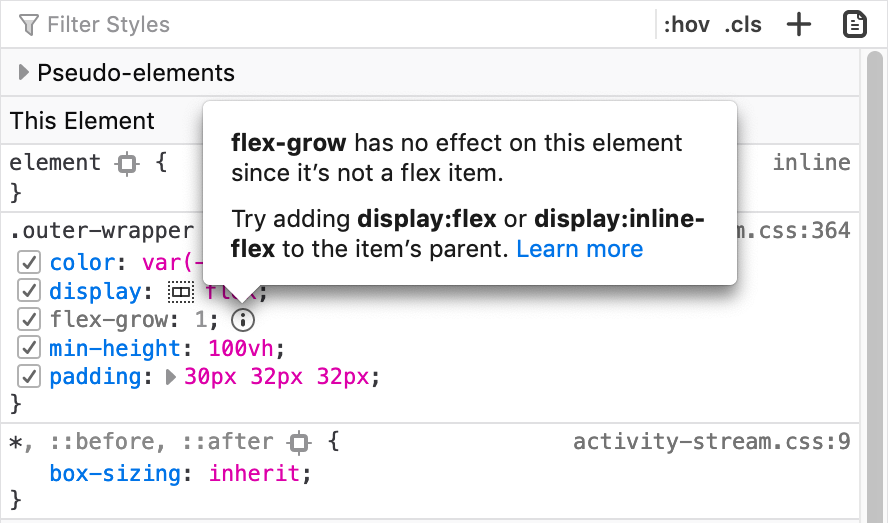
    🌅 Now in Beta: Inactive CSS! We show you which CSS properties aren’t affecting the selected element and why. (Has this saved you time already? We love hearing from you and seeing screenshots!) —@violasong mozilla.org/en-US/firefox/…
  • user avatar
    Chrome DevTools
    @ChromeDevTools
    Nov 7, 2019
    Rerunning code that declare let-variables no longer cause failures in DevTools console. We hope this makes trying out code more convenient!
    GIF
  • user avatar
    Chrome DevTools
    @ChromeDevTools
    Mar 15, 2018
    Tip: Run copy(obj) in the Console to copy an object to your clipboard.
    GIF
  • user avatar
    Chrome DevTools
    @ChromeDevTools
    Aug 16, 2017
    Introducing Puppeteer: A modern Node.js API for headless Chrome. Built with ❤️ by the Chrome team. github.com/GoogleChrome/p…
  • user avatar
    Chrome DevTools
    @ChromeDevTools
    Apr 29, 2020
    It's almost here: CSS grid tooling! 🤘 Over the last couple of months, we teamed up with @EdgeDevTools to work on this highly-requested feature. Here is a sneak preview. We have many more ideas on how to make grids easier and more accessible in the future – stay tuned!
    00:00
  • user avatar
    Chrome DevTools
    @ChromeDevTools
    Mar 19, 2018
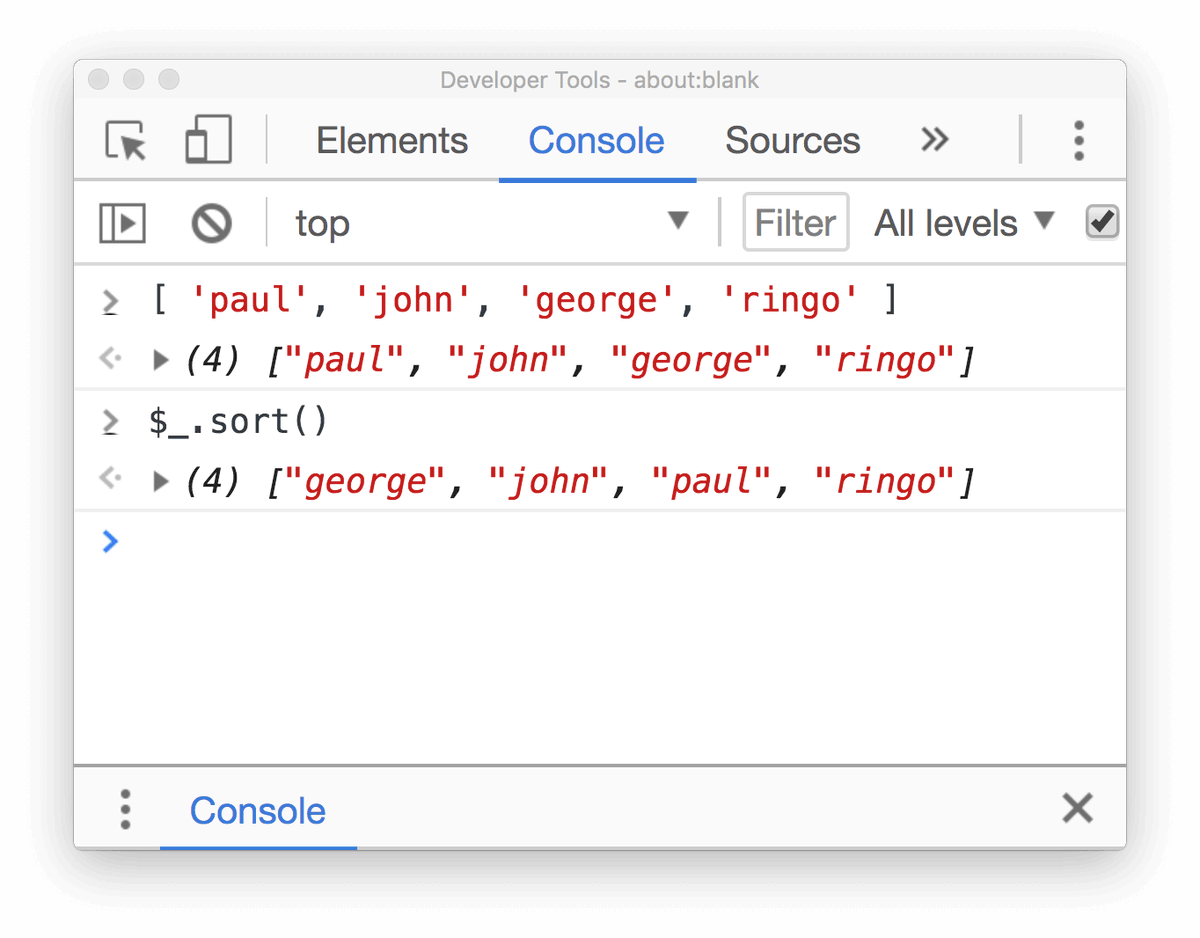
    Tip: Type $_ in the Console to return the value of the last evaluated expression.
  • user avatar
    Chrome DevTools
    @ChromeDevTools
    Aug 29, 2017
    Now in Canary: Capture screenshots of specific HTML nodes
    GIF
  • user avatar
    Chrome DevTools
    @ChromeDevTools
    Jul 2, 2020
    Now you can right click on a node in Elements panel and capture the node screenshot! 📸 Like it? Freshly landed on Chrome Canary. Update and give it a try! 🔥
  • user avatar
    Chrome DevTools
    @ChromeDevTools
    Jul 30, 2018
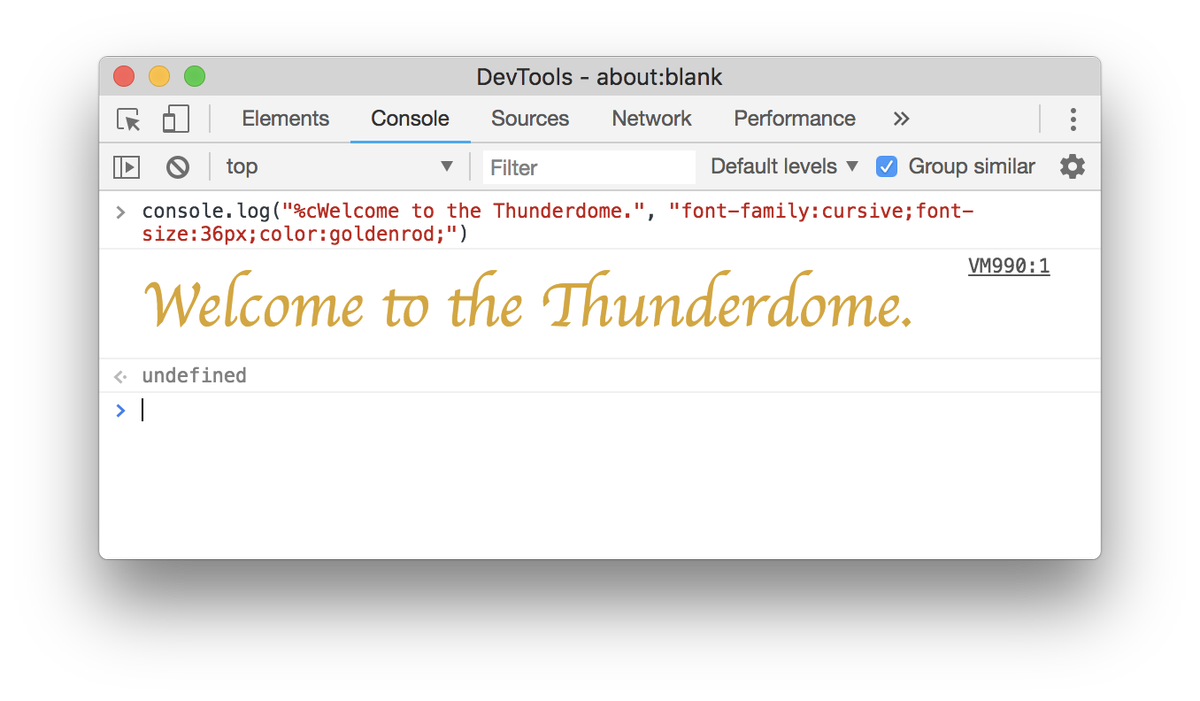
    Tip: Format your console.log statements by prepending your text with "%c" and passing a second argument that contains the CSS styles.
  • user avatar
    Chrome DevTools
    @ChromeDevTools
    Jan 24, 2019
    New feature in Chrome 73: Logpoints. Log messages to the Console without cluttering up your code with console.log() calls.
    user avatar
    Netanel Basal
    @NetanelBasal
    Jan 24, 2019
    ⭐️ 🚀 @googlechrome 73: Logpoints 🔥🚀👯
    GIF
    developer.chrome.com
    What's New In DevTools (Chrome 73)  |  Blog  |  Chrome for Developers
    Logpoints, detailed tooltips in Inspect Mode, and much more.

New to X?

Sign up now to get your own personalized timeline!

Create account

By signing up, you agree to the Terms of Service and Privacy Policy, including Cookie Use.

Terms of Service|Privacy Policy|Cookie Policy|Accessibility|Ads info|© 2026 X Corp.
Don't miss what's happening
People on X are the first to know.
Log inSign up
✕

Wait! Don't Go Yet 🚀

Get our FREE eBook "10 Programming Tips That Changed Everything" when you subscribe!

No spam. Unsubscribe anytime.