

Overview
Every Zenflow task starts with picking a workflow. Workflows determine how the agent approaches your task — how much planning happens before coding, whether requirements are gathered first, and how verification works. Pick a workflow when creating a task. You can change it later if the work evolves.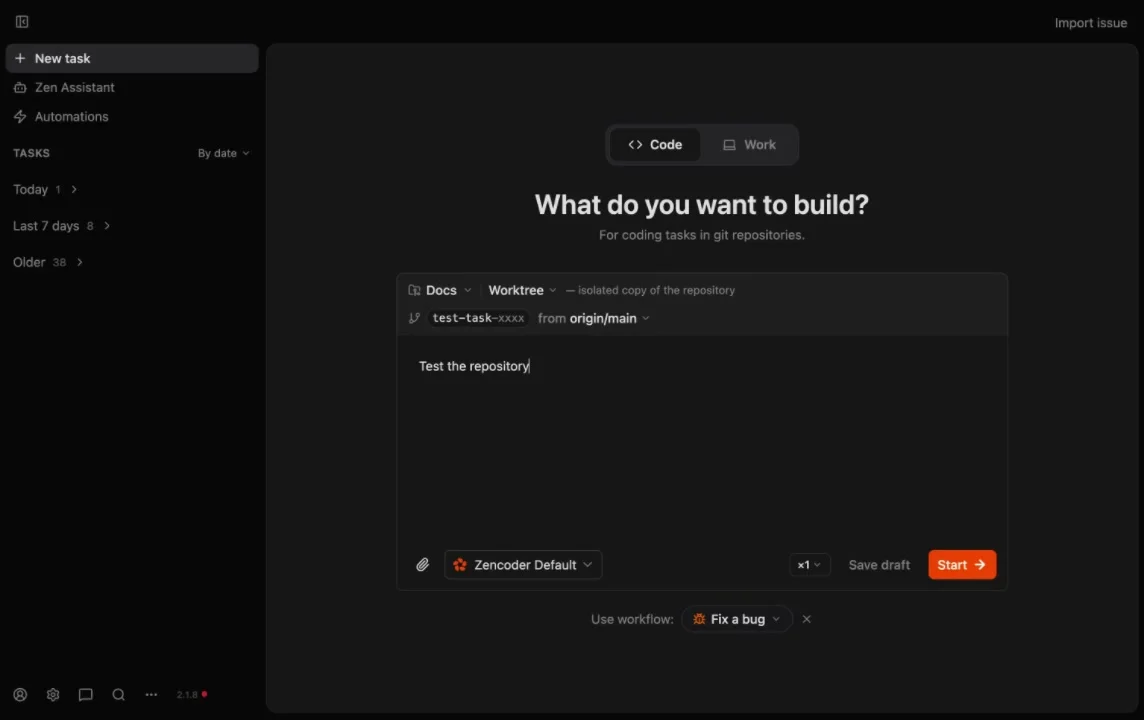
Available Workflows
Auto
Fastest path. The agent decides the approach based on your prompt — no manual workflow configuration needed.
Fix a Bug
Structured investigation → solution → implementation flow for regressions and defects.
Spec First
Generate a technical spec before coding. Review and approve the plan before implementation begins.
Requirements First
Full specification-driven development — PRD, technical spec, implementation plan, and AI code review.
Multi-model
Assign different models to planning, implementation, and review phases for cost-optimized quality.
Custom
Design your own workflow steps with Markdown files. Full control over phases, artifacts, and agent assignments.
When to Use What
| Workflow | Best for | Planning overhead |
|---|---|---|
| Auto | Small tasks, quick experiments, well-understood changes | None — agent decides |
| Fix a Bug | Regressions, failing tests, production issues | Low — structured investigation |
| Spec First | Medium features where you want to review the approach first | Medium — spec before code |
| Requirements First | Large features, cross-team initiatives, stakeholder alignment | High — full PRD → spec → plan |
| Multi-model | Cost-sensitive teams, complex tasks benefiting from model diversity | Medium — configure per phase |
| Custom | Recurring team processes, compliance-driven workflows | Variable — you define it |
Next Steps
Tasks Overview
Create, run, and manage tasks — including how to pick a workflow during task creation
Git Worktrees
How task isolation works with dedicated branches and worktrees
Multi-Agent Orchestration
Multi-model pipelines, agent presets, and parallel review
Repository Configuration
Verification scripts, setup commands, and agent presets